lime wire
MediaFire Blog

MediaFire (we’re still beta) Version 2

Hey everybody,

We’ve released a new version of MediaFire today which includes a ton of new features inspired by all of the great feedback you’ve send us over the past few months. There are a lot of new features this time so I’ll highlight some of the big ones to help you get started. If you just want to skip to some pictures on our About page or a demo check out our about page or come see some images I’ve uploaded for you all to check out (I’ll upload some more soon too).

Folders:
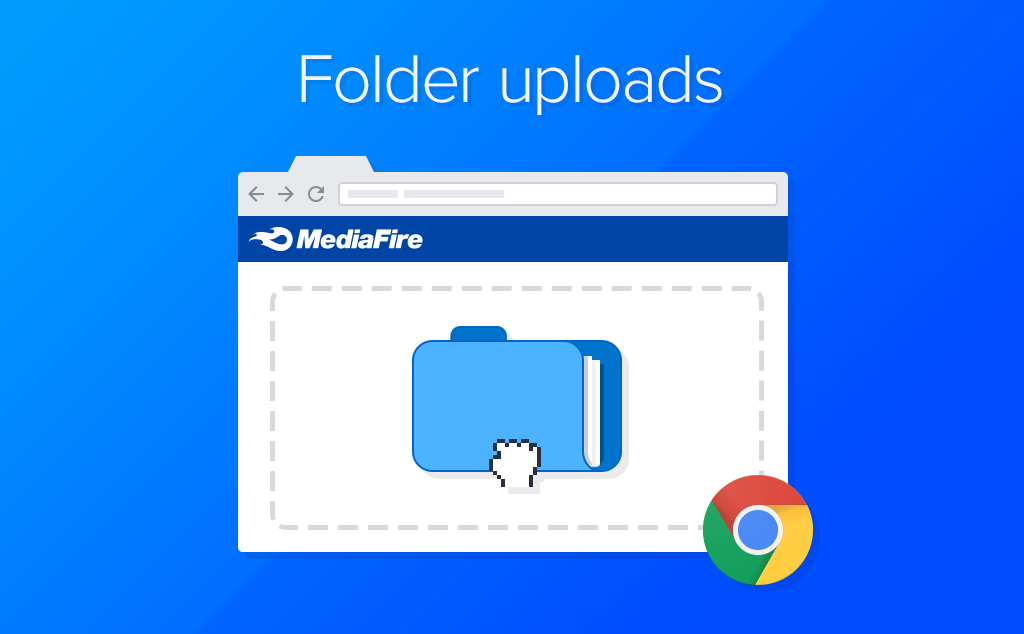
This is by far the feature you’ve requested most frequently and now it’s here! Not only can you create folders and subfolders to organize your files, you can also share an entire folder of files just as easily as sharing a single file. The new system now makes it possible to create an unlimited number of folders and subfolders for a natural and flexible system of organization that mimics the directory structure of your computer.

Image Hosting:
The second most frequently requested feature has definitely been the ability to view images directly on MediaFire and share them with others. Now you can, and you can also create and share entire galleries of images simply by organizing them into folders by using the new My Files page. Images now have their own page too, with the ability to view various sizes as well as quickly browse through other images in a folder with a fast image slide.

As always, there’s plenty of ways to share files using MediaFire and with Images we’ve provided some useful new tools for embedding them on your blog, My Space page, or any other website. Using the Sharing Tabs that’s are associated with each file you can choose to Email your images, send them by Instant Messenger, or easily generate codes so that you can embed them on almost any website (including your MySpace profile or blog). With several sizes to choose from, MediaFire image hosting gives you the flexibility to fit your images in almost any layout easily as well as giving your friends and family the option to view and save the original image to their computer.

Add Descriptions and Tags to your Files and Folders:
Sometimes file names aren’t quite descriptive enough to let your visitors know what they’re downloading so now we’ve added the ability to give each of your files and folders a description and tags. Combined with the new instant-search feature on the My Files page you can simply click on a file’s tags to find similar files stored within your account.

Save Files Directly to your MediaFire Account:
Don’t have time to wait for that big file to download right now? No problem! Just save them to your My Files page for easy retrieval later on. On any shared page you now have an alternative to downloading files directly to your own computer. Simply by clicking the “Save to My Files” button on any shared page, MediaFire will automatically save a copy of that file to your account. That way if the original uploading user needs to delete that file, you’ll always be able to keep a copy of it for easy rapid access on MediaFire.com.

New My Files page:
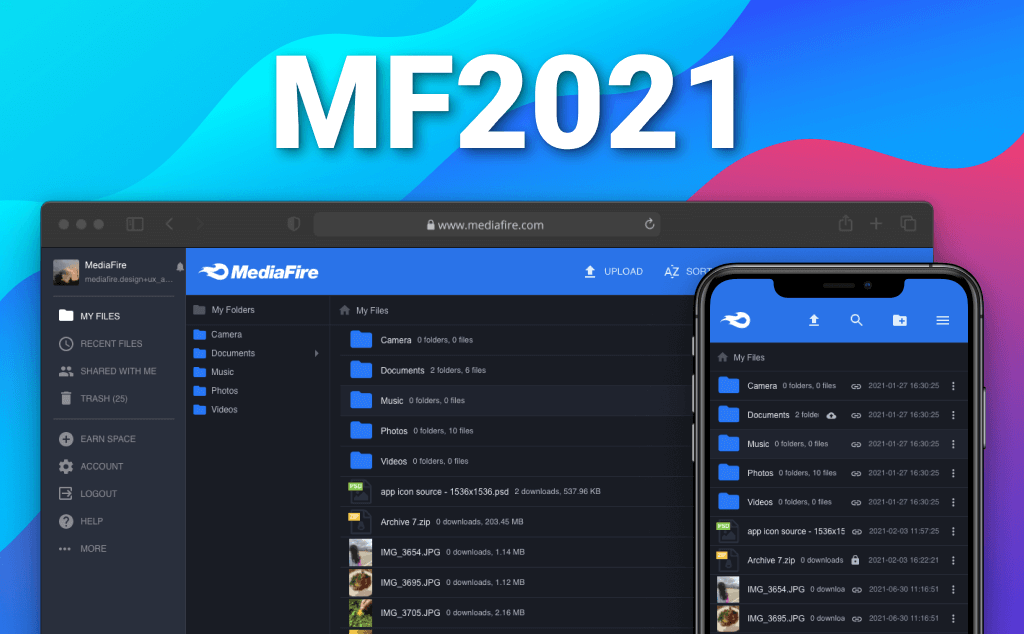
All of these new features needed a robust and easy to use management new management page and with the new My Files page organizing and sharing your files is now easier than ever! We’ve entirely rethought and redesigned the My Files page for this update and included a ton of new features. The main goal in the redesign was to give you as much flexibility in storing and sharing your files as possible while keeping the system as simple to use and functional as it’s always been.

We’ve included two viewing modes into the new My Files page to accommodate for easy file management as well as fast and simple image browsing and gallery sharing. While viewing your files in the “File List View” we’ve included all of the most frequently used file management tools at the top left of your file list. Using this menu you can create a new folder, tag selected items, move selected items to a folder, email selected items, delete selected items, show and hide descriptions and tags in the list, and view your account details. Think of the “File List View” as your interface for easily managing your files

Advanced Privacy Control and Sharing Mode Options:
Another new feature we’ve heard requested fairly frequently is the ability to add passwords to protect sensitive files. Since you now have the option of sharing entire folders, we’ve gone one step further and built in a privacy system that allows you to toggle files from public (visible) to private (invisible) in shared folders. Files can also be set to be password protected so that you can ensure that only the intended recipient will receive your important documents. Images can be made private or public however cannot be password protected.

In this update you can now share your files in two different modes, Basic Sharing or Extended Sharing, which can be set from your My Files page or your My Account page. Basic Sharing requires you to share each file with your friends individually even if they are in the same folder. You can NOT share folders in basic sharing mode. This is best if you do not want your recipient to be able to browse any other files that are in the same folder as what you are sending them.

The Extended Sharing mode (which is generally the preferred method) allows your friends to view other files in a folder you share or related to a file you share. For example, if you would like to share a folder of your vacation photos with your friend and family, the Extended Browsing option would allow them to easily navigate through your vacation folder to see all of your pictures rather than just one at at time.

No Accounts Necessary:
While creating an account with MediaFire will allow you to access your files from any computer, an account is not necessary in order to take full advantage of all of the features that MediaFire has to offer. Even without logging in, you can create and share folders of files just as you would with an account. Go ahead, give it a try! If you do not create an account however, the files you upload will only be accessible from the computer from which you uploaded them.

As always, we’re going to be working hard on bringing you even more enhancements and perfecting the operation of the site and we would love to hear what you think so-far. Feel free to drop us an email anytime with your comments and suggestions, we read each and every one of them (I’m sure a lot of you will see your requested features in this new version already).

Cheers!

Tom

23 Responses to “MediaFire (we’re still beta) Version 2”

  1. Dream Phan Says:

    You made it !!! you made it !!! what a great weekend gift you gave us.

    Now that MediaFire undenybly the best File/Image hosting out there. The only thing left in the garage is to improve the reliability of the system (I regularly got my files inaccessible cos my “No server”). Nevertheless, MediaFire is still the best. Thank you all for your hard work and free service.

  2. PillsBury Says:

    wow. friggun amazing. each new enhancement is great. you’ve managed to add more feature than i could have imagined. thank you so very much and keep up the good work.

    PillsBury

  3. loule Says:

    Felicitation for this new version

  4. Tom Says:

    Thanks everyone,
    We really appreciate your support!

  5. milosh Says:

    EXTRA great job, i so like it.

  6. Meindert Roemeling Says:

    You’re the Top Mediafire.

    Thank you and succes !!

  7. HipGnose Says:

    I Love You [/)]

  8. Satoshi Says:

    wow thanks a lot, the new updates are incredible!

  9. LadyDark Says:

    Thanks for the new version ^^
    It’s beauty and perfect

  10. J M Says:

    Just amazing. Thank you for listening to our feedback and hitting this update right on the head.

    Great job MediaFire!

  11. keka Says:

    Wow - you guys are the best! I have to say that mediafire is the best filehost ever - and with all these additions, you guys are amzing! Thanks~

  12. Tiffany Says:

    Just logged into my account and WOW! I had to let you know that the new interface and features implemented are simply awesome! You guys are doing a great job and thanks for bringing me a file-sharing service that not only works well, but looks great, too!

  13. poec Says:

    Great!!!! looks awesome!!!!

  14. Leo Says:

    Pretty much Web2.0 Compatible. I love it. Its nice. Great job.

  15. Vitor M. Says:

    Great news Tom.
    O Peopleware agradece este espaço fantástico.
    Great job.

    Vítor M.
    Peopleware

  16. Igor Says:

    Thanks a lot for outstanding work! With new features mediafire becomes much more than simple file sharing service. Thank you again 1 Waiting for new features and improvrmrnts! ;)

  17. mel Says:

    I love the folders! thanks for allowing us to organize the files better. and I like how we can share entire folders too!

  18. yukii Says:

    hi i’m lived in asia. and thanks for the mediafire.

    i have an proposion.
    Please make the menu that i can switch (share/public) selected files in the same time.

  19. Orlando Says:

    Great job. Nice enhancements, the Folders are just perfect.
    Congratulations and keep it FREE!!

  20. tiknik Says:

    Good! Nice web, the Folders are just perfect.
    keep it FREE!! I love Mediafire!

  21. Dedalo Says:

    Hello!

    It’s amazing! I love the simultaneous downloads….

    Rapidshare and others aren’t nothing as compared with Mediafire!

    I’d like to upload an entire folder! It’ll be a nice feature…

    thanks BYe

  22. rrrm99 Says:

    best update ever!

  23. patriciamuse Says:

    Great job Tom , Mediafire the best ¡¡¡¡¡¡¡
    thanks for this amazing page =)

Leave a Reply